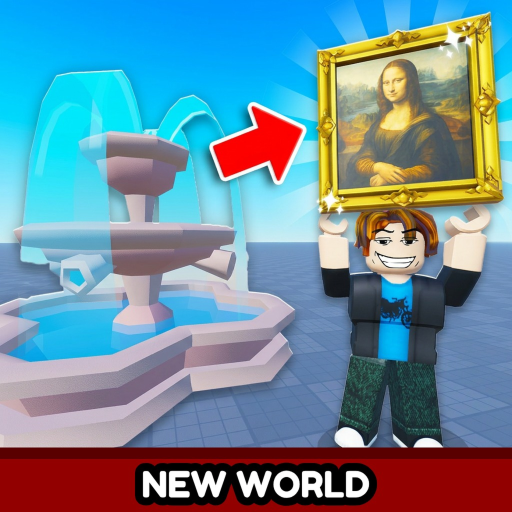
How to Play Throw a Coin
How to play Throw a Coin on Roblox — join the game, throw coins, sell loot, upgrade stats, and progress through the fountain loop.
Play on RobloxThrow a Coin by The BEST group yet! is a Roblox luck simulator built around one repeatable loop. You throw coins into a magic fountain, receive random loot based on your luck and coin tier, sell that loot for cash, and reinvest into better stats and coins. This how-to-play guide walks through every step from joining the experience to making your first smart upgrade purchase.
The official Roblox description summarizes the pitch: toss coins, get lucky, get rich. The rarest advertised drop sits at one in twenty quadrillion odds — a long-term chase goal, not something you should expect in your first session. Focus on learning the loop first; our Beginner Guide adds deeper strategy once you understand the basics.
Step 1: Join the official experience
Open the Throw a Coin Roblox page at place ID 115681808123944 and click Play. Favorite the game if you want Roblox update notifications. If the page shows no running servers, wait and retry — maintenance or low activity can temporarily hide public instances. Check our Updates page for August 2026 server status notes.
Mobile players should use landscape mode for clearer throw buttons. PC players benefit from closing Roblox chat focus before clicking the fountain so inputs register reliably.
Step 2: Throw coins into the fountain
Spawn near the central magic fountain hub. Equip your starter coin, approach the fountain edge, and use the throw interaction shown on your HUD — left click or a contextual key on PC, a dedicated button on mobile. Each throw consumes the equipped coin and rolls loot into your inventory.
Loot quality scales with Luck Multiplier and your current coin tier. Early throws mostly produce commons. That is normal. Session goal: complete throw-sell-upgrade cycles quickly rather than hoarding low-tier items.
Step 3: Sell loot at the vendor
Walk to the hub vendor marked on our Map page. Open the sell interface and convert inventory items into spendable cash. Value Multiplier increases every payout — neglecting value upgrades means the same drop pays less than optimized accounts earn.
Sell commons immediately unless a future patch adds crafting. Inventory space is not a long-term strategy in Throw a Coin; liquid cash fuels upgrades that multiply future throws.
Step 4: Upgrade luck, value, and coins
Visit upgrade stations and the coin shop around the hub. Purchase Luck Multiplier levels to improve drop tables, Value Multiplier levels to increase sell prices, and higher coin tiers when you can afford them without starving throw frequency.
Alternate early luck and value levels instead of maxing one stat. Use our Upgrade Calculator when both buttons are affordable and you are unsure which purchase returns more per hour.
Step 5: Repeat and chase rare drops
The endgame is the same loop at higher numbers: better coins, higher multipliers, World portal ×5 luck stacks, Item Index bonuses, and rare drop hunting. Read Rare Drops Guide for realistic expectations about the quadrillion-tier item. Avoid fake codes from social media — only WORLD3, candy, and Luckyducky are verified active in Throw a Coin as of August 1, 2026.
When you want automation details, read Scripts with full Roblox Terms of Use warnings. Legitimate grinding through the fountain loop remains the safest progression path.
Frequently Asked Questions
Is Throw a Coin hard to learn?
No — one hub, one fountain, one sell loop. Complexity comes from upgrade math, not controls.
Can I play on mobile?
Yes. Use on-screen throw buttons and read our Controls page for input tips.
What if servers are offline?
Retry later. See Updates for current Roblox server status.
Do I need codes to play?
No — progression works through throwing and upgrades. Active codes WORLD3, candy, and Luckyducky optional boosts via Shop → codes.
What should I read after this page?
Beginner Guide, then How to Get Rich and Fountain Throwing.